Set Sharecuts as your homepage on Safari
Feb 19, 2025●
1
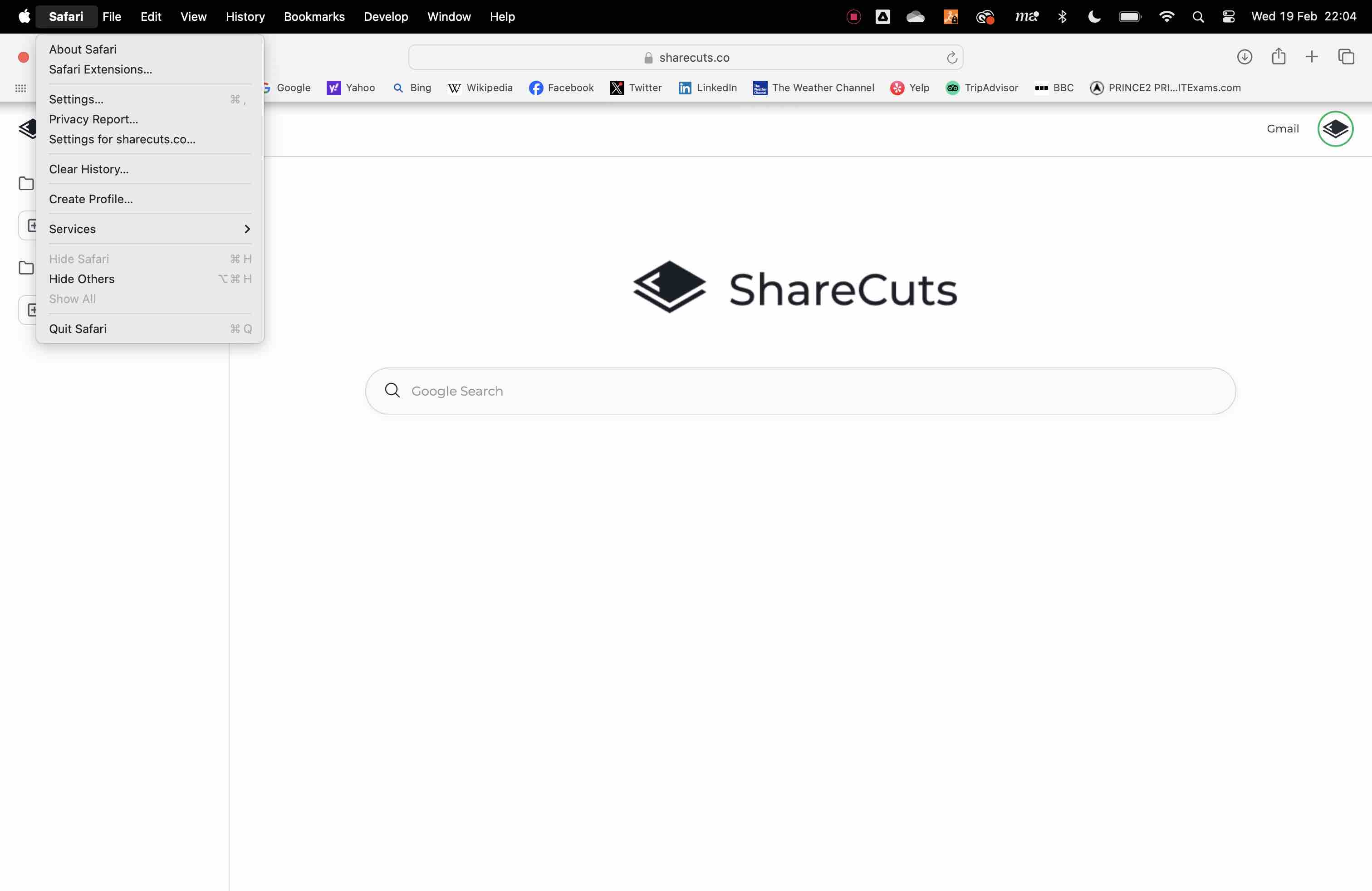
Click Safari in the top ribbon
2
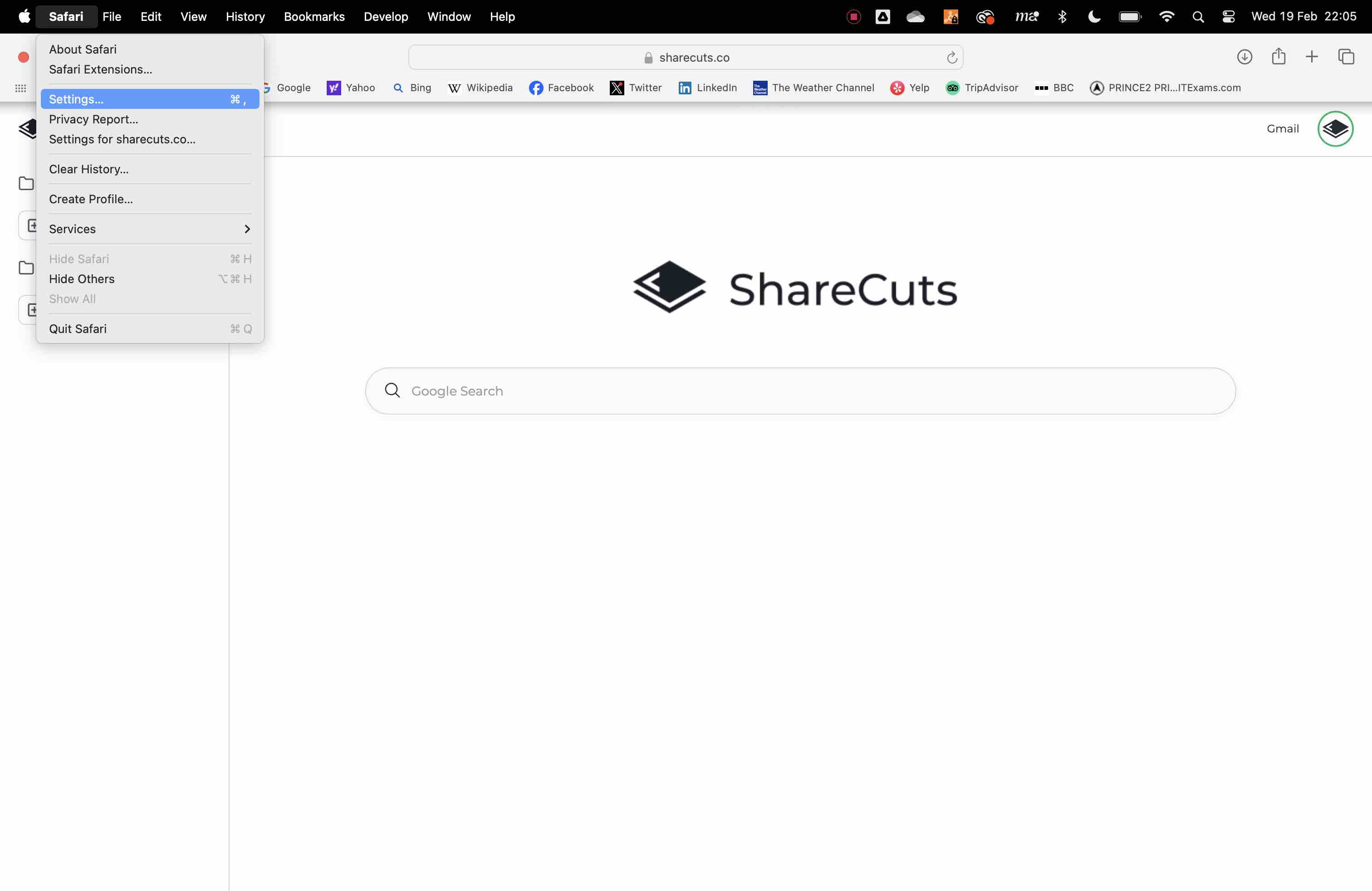
Choose settings from the dropdown
3
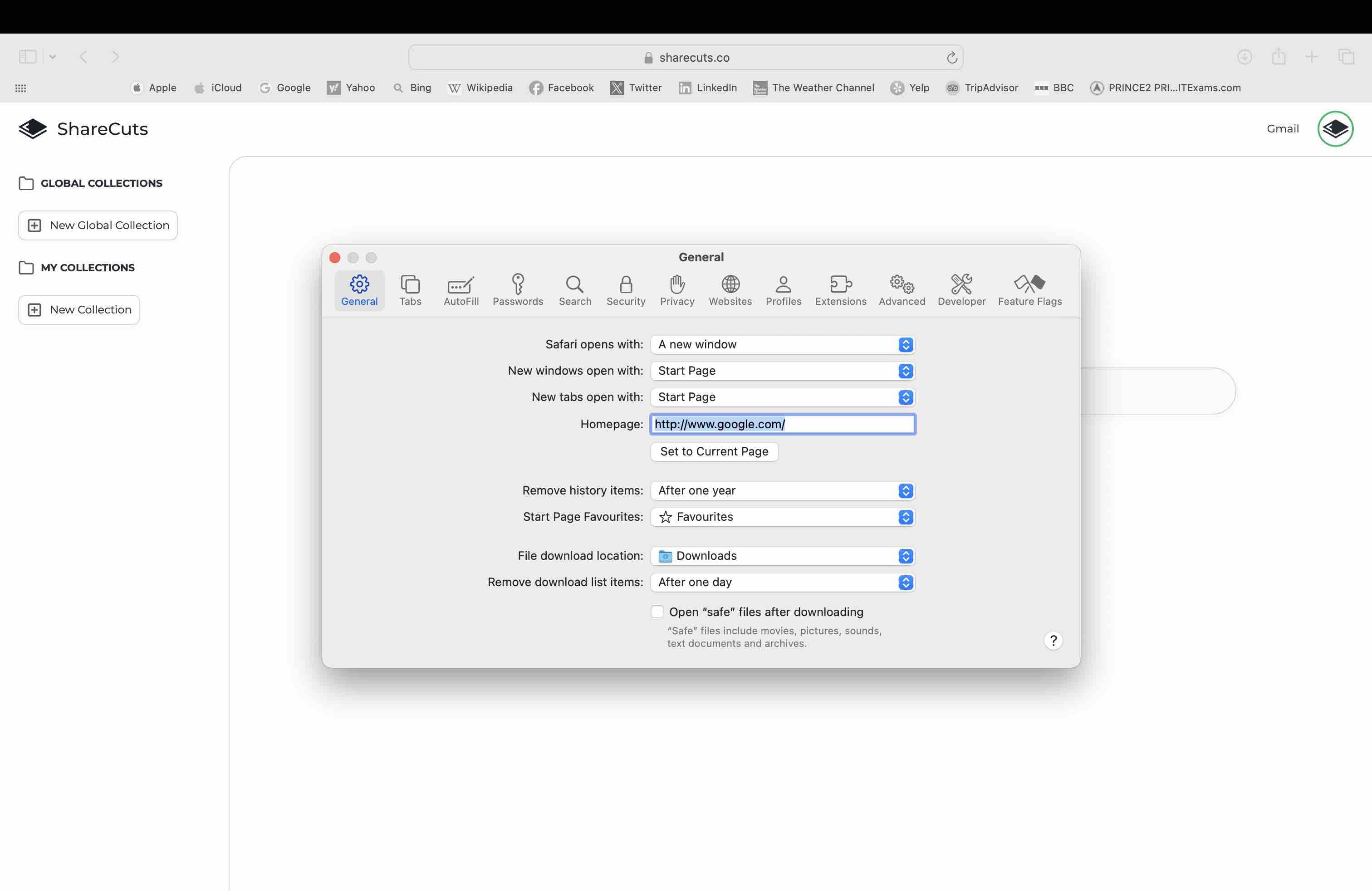
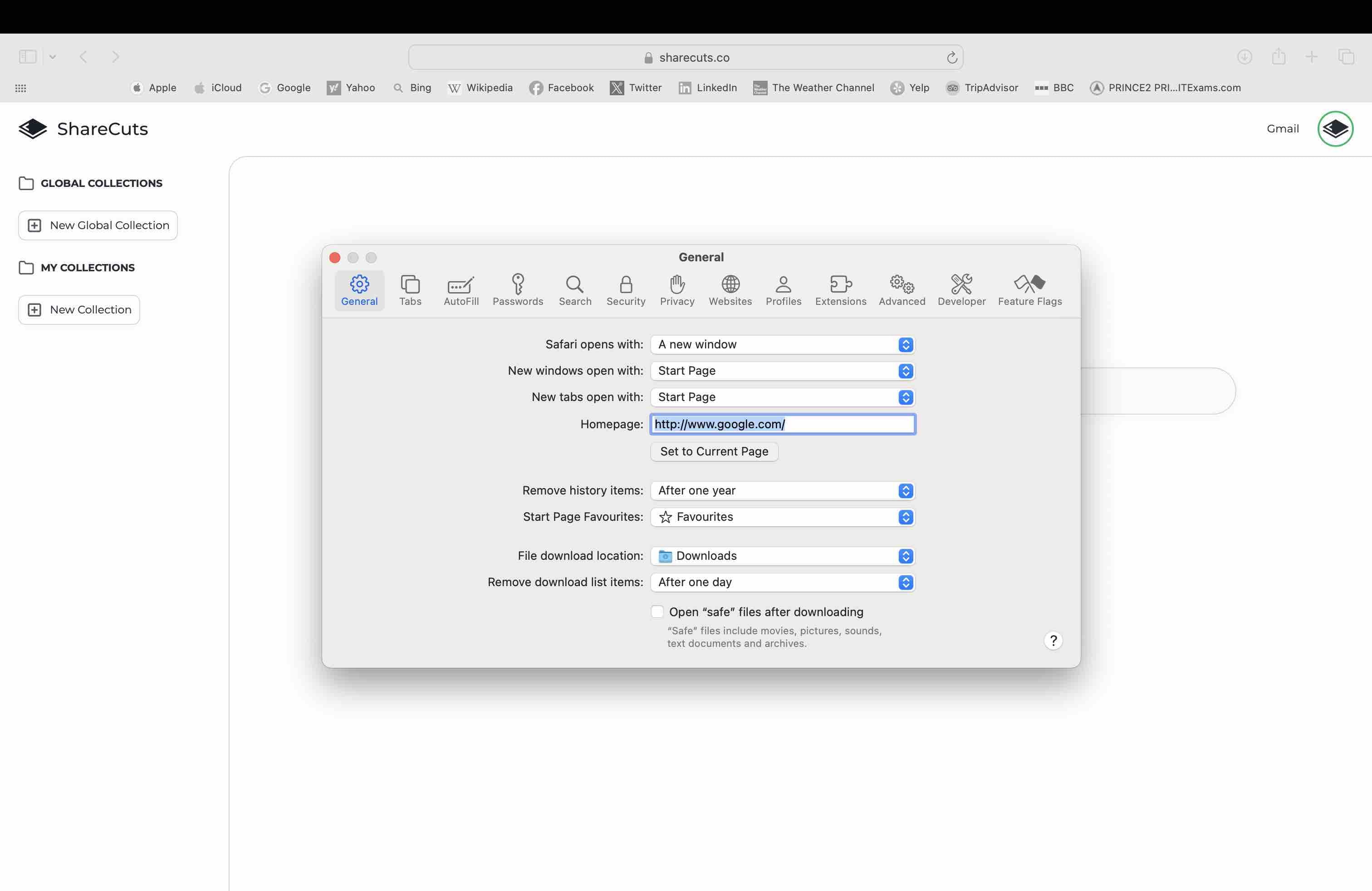
open the General tab
4
Set the homepage to https://www.sharecuts.co/dash
5
Click here
6
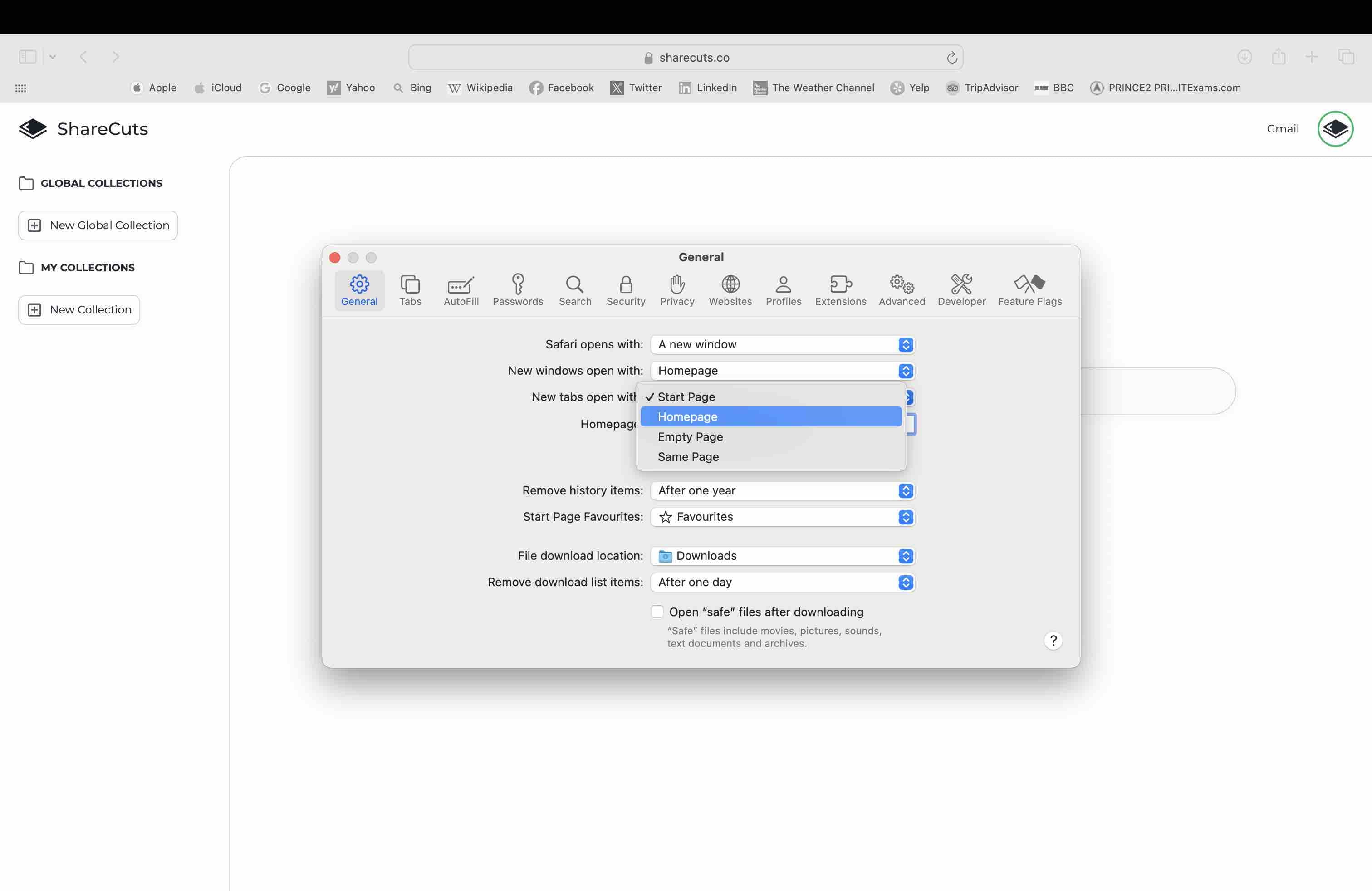
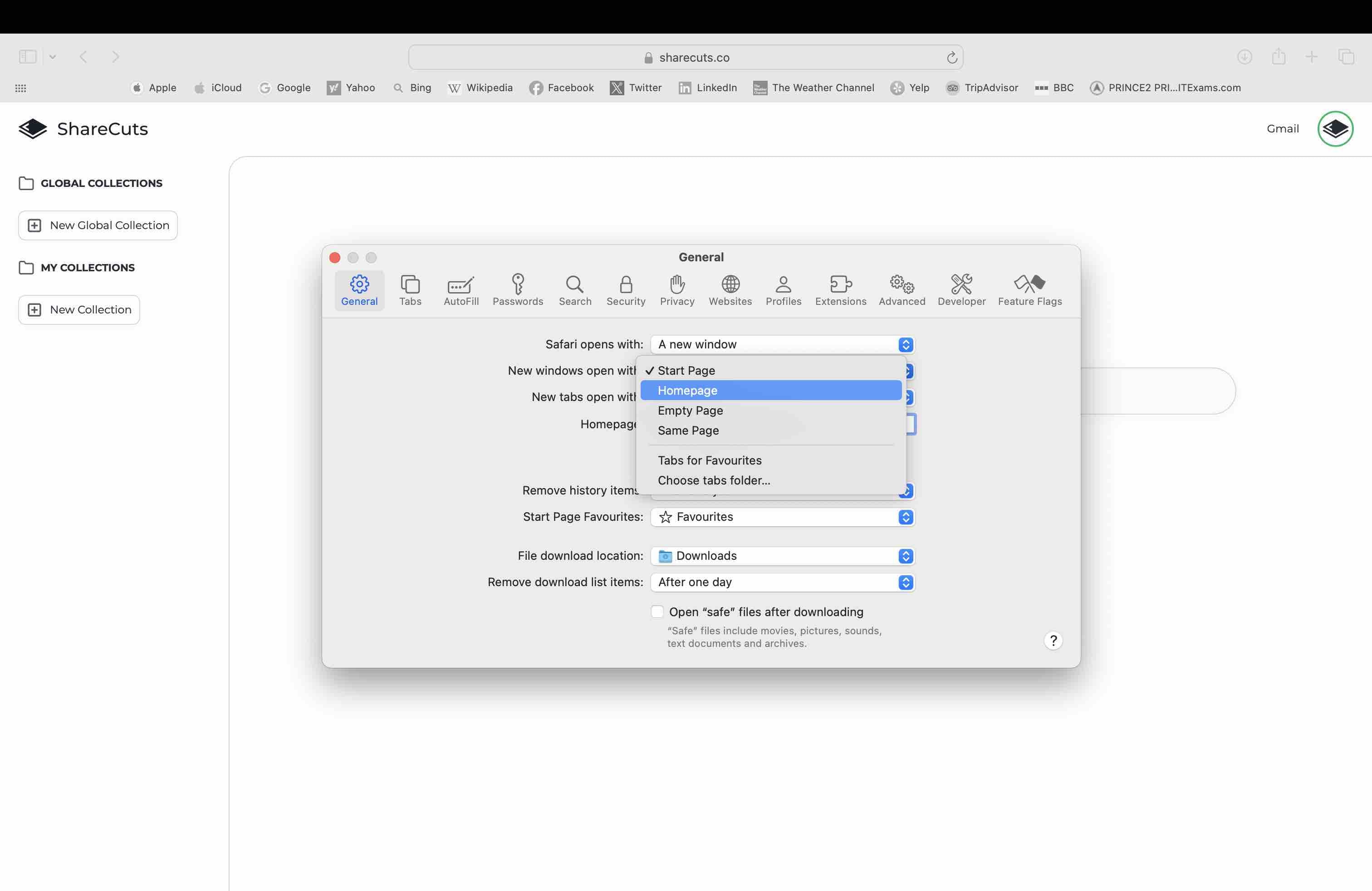
Change "New tab opens with" to homepage